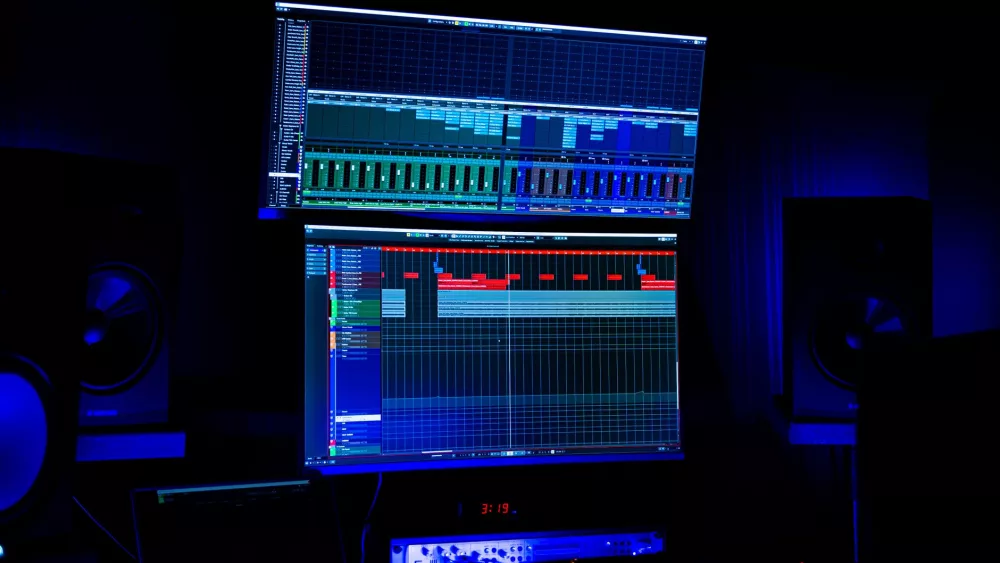
Alright, let's talk about something near and dear to my heart, and probably yours if you're reading this: building or buying the best PC for music production. I know, I know, it can feel like navigating a jungle sometimes, with all the specs and jargon thrown around. But trust me, getting the right machine is absolutely crucial for a smooth, frustration-free creative process. I've been down this road more times than I can count, and I've learned a ton about what truly makes a difference.
For us music producers, our computer isn't just a fancy toy; it's the beating heart of our studio. It's where all the magic happens – recording, mixing, mastering, composing. If your computer can't keep up, you're going to hit roadblocks, experience annoying dropouts, and probably pull your hair out with latency issues. Nobody wants that when inspiration strikes, do they?
The Core Components: What Really Matters for Your Music Production PC
When I'm thinking about a new build or upgrading an existing system, I always focus on a few key areas. These aren't just arbitrary choices; they're the components that directly impact our workflow and how seamlessly our Digital Audio Workstation (DAW) performs.
The Brain of the Operation: CPU (Central Processing Unit)
This is arguably the most important piece of the puzzle. Your CPU is responsible for crunching all those numbers, handling all the VSTs, effects, and audio streams in real-time. It's doing a lot of heavy lifting!
- Cores and Clock Speed: For music production, you generally want a good balance. A higher core count is excellent for handling many tracks with lots of plugins simultaneously, as your DAW can distribute the workload across different cores. But don't sleep on clock speed either; it's vital for single-thread performance, which some plugins and older DAWs still rely heavily on. I've found that modern CPUs with 6 to 12 cores and high clock speeds (think 3.5 GHz+ base, boosting much higher) from either Intel (i7 or i9) or AMD (Ryzen 7 or Ryzen 9) are absolute beasts.
- Intel vs. AMD: Both are fantastic these days. Intel often has a slight edge in single-core performance, which can be great for specific plugin instances. AMD, especially with their Ryzen lineup, offers incredible multi-core value, perfect for big projects. Honestly, you can't go wrong with either if you're looking at their higher-end offerings. Just make sure it's a current or recent generation chip.
Your Project's Workspace: RAM (Random Access Memory)
RAM is where your computer temporarily stores data that your CPU needs to access quickly. Think of it like your desk space: the more RAM you have, the more applications, samples, and plugin data your computer can juggle without having to constantly fetch things from slower storage. This makes a huge difference in responsiveness.
- How Much Do You Need? I usually tell people that 16GB is the absolute minimum if you're serious. But honestly, if you're using large sample libraries (like Kontakt instruments, orchestral libraries, etc.) or running tons of tracks and effects, 32GB is the sweet spot. I'm personally running 64GB in my main rig, and it's glorious – I rarely see it maxed out, but it's comforting to know I have that overhead. It means I can open multiple DAWs, have my browser open with 50 tabs, and still not sweat it.
- Speed Matters: Don't just look at the capacity; RAM speed (measured in MHz) and latency (CL timing) also play a role. Faster RAM helps the CPU get data quicker. DDR4 is still perfectly viable, but DDR5 offers even more headroom for future-proofing.
The Data Highway: Storage (SSDs are a MUST)
Gone are the days of clunky, slow HDDs being your primary drive. For music production, SSDs (Solid State Drives) are non-negotiable. They are dramatically faster, which means your DAW loads quicker, projects open instantly, and large sample libraries stream without a hitch.
- NVMe SSD for OS & DAW: Your operating system, DAW, and frequently used plugins should live on a blazing-fast NVMe SSD. These connect directly to your motherboard and offer speeds many times faster than traditional SATA SSDs. This is a game-changer for boot times and application loading. A 500GB or 1TB NVMe drive is usually sufficient for this.
- SATA SSD for Sample Libraries: For large sample libraries that you access regularly, a separate SATA SSD (or another NVMe if your motherboard has enough slots) is highly recommended. You don't want your OS drive getting bogged down. A 1TB or 2TB SATA SSD is a good starting point here.
- HDD for Archiving: Traditional Hard Disk Drives still have a place for long-term storage and archiving old projects or less frequently used files. They're cheap per gigabyte, but definitely too slow for active production work.
The Unsung Hero: Audio Interface
While not strictly 'inside' the PC, your audio interface is integral to your music production setup. It's the bridge between your computer and the outside world – your microphones, instruments, and studio monitors. A good interface provides pristine audio quality, vital input/output options, and most importantly, low latency.
- Why Low Latency? Latency is the delay between when you play a note or sing into a mic and when you hear it through your speakers or headphones. High latency is a real workflow killer. A quality audio interface with robust drivers minimizes this delay, making recording and monitoring much more pleasant. Look for interfaces from reputable brands like Focusrite, Universal Audio, RME, PreSonus, or Apogee.
Graphics Card (GPU): Less Critical, Still Important
Unlike gaming or video editing, music production isn't typically GPU-intensive. You don't need a top-tier RTX 4090 unless you're also doing high-end video work or gaming. However, a dedicated GPU (even an entry-level one like an NVIDIA GTX 1650 or an AMD RX 6600) is better than relying on integrated graphics. It frees up your CPU, allows for multiple monitors, and makes the overall system feel snappier. If you're on a budget, an integrated GPU in modern Intel 'F' series or AMD 'G' series CPUs can be acceptable, but I wouldn't recommend it for a dedicated production rig.
The Backbone: Motherboard
Your motherboard connects everything together. While it doesn't directly impact performance as much as a CPU or RAM, a good one ensures stability, connectivity, and expandability.
- Chipset & Sockets: Make sure the motherboard's chipset and CPU socket are compatible with your chosen CPU.
- Connectivity: Look for plenty of USB ports (especially USB 3.0 or 3.1 for external drives and interfaces), PCIe slots for future expansion (like a second NVMe or a specialized audio card), and good quality onboard audio if you ever need it (though your external interface will handle the heavy lifting).
- Reliability: Stick to reputable brands like ASUS, MSI, Gigabyte, or ASRock.
Don't Skimp on Power: PSU (Power Supply Unit)
Your PSU delivers power to all your components. A cheap, unreliable PSU can lead to instability, component damage, and even be a fire hazard. Don't cheap out here!
- Wattage: Calculate your system's power needs (online calculators can help) and then add a healthy buffer. For a typical music production PC with a decent GPU, a 650W to 850W PSU from a reputable brand (Corsair, Seasonic, be quiet!, EVGA) is usually plenty.
- Efficiency: Look for 80 PLUS Bronze, Gold, or Platinum ratings for better efficiency and less heat.
Keeping it Cool: Cooling Solutions
Powerful CPUs generate a lot of heat, especially when they're working hard on a complex mix. Good cooling is essential to prevent thermal throttling (where your CPU slows itself down to avoid overheating) and ensures system longevity. A decent air cooler (like a Noctua NH-D15 or be quiet! Dark Rock Pro 4) or a 240mm/280mm AIO liquid cooler will keep things nice and chill.
My Takeaways and Recommendations
So, after all that technical talk, what's the big picture? For a top-tier music production PC that will serve you well for years, here's what I'd prioritize:
- CPU: AMD Ryzen 7/9 (7000/9000 series) or Intel i7/i9 (13th/14th gen). More cores, higher clock speed.
- RAM: 32GB DDR4 (3200MHz+) or 32GB DDR5 (5200MHz+) minimum. 64GB if your budget allows and you use massive libraries.
- Storage: 1TB NVMe SSD for OS/DAW/plugins + 1-2TB SATA SSD for active sample libraries. Add a large HDD for archives.
- Audio Interface: A high-quality external unit with low-latency drivers and the I/O you need. This is a separate, but vital, purchase.
- GPU: Something basic but dedicated (e.g., GTX 1650/RX 6600) to offload display tasks from your CPU.
- Motherboard & PSU: Reliable brands, sufficient connectivity, and adequate power.
- Cooling: A robust air cooler or a 240/280mm AIO.
Honestly, you don't need to break the bank on every single component, but investing in the CPU, RAM, and fast storage will yield the biggest returns in terms of performance and a smooth workflow. Don't forget, a quiet system is also a huge plus when you're trying to mix! So, look for good cases with sound dampening and quiet fans too. Happy producing!